


Invitation Maker - Card Design
4.231.00 Reviews
App Specs
- Version
- 1.5.8
- Updated On
- License
- Free
- Downloads
- 1,000,000+
- Developer
- Splaish Studio
- Categories
- Events
- Platform
- Android
Screenshots
 Analysis by AppCompare
I approached Invitation Maker - Card Design as a practical tool for turning event details into a card I’d actually feel comfortable sending. The appeal is straightforward: make a personalized invitation on a phone without starting from a blank canvas or learning a full design program. That makes it especially useful when the event is real, the guest list is waiting, and I don’t want the invitation to look like a rushed text message.
How quickly can you get to a finished card?
The template-led approach is a time-saver when you already know the occasion and general style you want. Rather than designing every element yourself, you can begin with a layout, replace its wording, and adjust the look. For a small birthday gathering, I’d use that sequence in one sitting: choose a suitable design, enter the date and place, then check the finished card at a glance before sharing it.
That speed has a trade-off. A template can get you moving quickly, but it still needs careful editing. I’d double-check names, times, and addresses after changing the text, because a polished card is not helpful if an important detail is wrong or hard to read. If I were preparing a formal invitation with several details, I’d draft the wording first, then bring it into the design rather than composing everything while moving objects around.
What changes when you make several invitations?
For an occasional card, the range of choices is more important than a deep production workflow. For repeated use, the useful question is whether the editing process remains comfortable across different occasions. This is an events app from Splaish Studio, and its focus is making invitation and greeting-card designs; it is not a general-purpose event-planning system. I would use it to prepare the card, then handle guest replies and logistics through whatever tools I already use.
A practical workflow is to settle the wording before choosing decorative details. That reduces back-and-forth between text and layout, especially when a design contains several elements. I’d also keep the card’s purpose in mind: a lively graphic can suit a casual celebration, while a wedding invitation often benefits from restraint and clear hierarchy. More customization is not automatically better if it makes the key information harder to scan.
Where it fits among other options
Compared with sending a plain message, a designed card gives an event a more considered feel and puts the essential details together in one place. Compared with a general graphics editor, a dedicated invitation maker is easier to approach when I want a ready-made starting point rather than a broad set of design tasks. If I need exact brand control, complex print preparation, or a carefully coordinated suite of materials, a full design tool or a professional designer may be a better fit.
It is best suited to people who want a personal result without making design a project of its own: parents arranging a children’s party, friends planning a gathering, or couples creating a simple announcement. I’d be less inclined to recommend it to someone who needs a formal print-production workflow or wants one app to manage invitations, attendance, seating, and reminders. Its strength is the card itself, not the whole event around it.
Worth Reading Before You Choose

EA SPORTS FC Mobile 26 Is a Bigger Football Game, but It Takes Time

Flipboard Shows What News Apps Must Do Beyond the Feed

Switching to Android Auto Means Rethinking Your Driving Routine

Google Calendar Makes a Crowded Week Easier to Manage

Ludo King Makes the Most of the Minutes Between Plans

Baby Panda World Brings Quick Play to Modern Phones, but Its Game Library Feels Busy
Free access and choosing whether to pay
The app is free to install, with in-app purchases ranging from $1.99 to $32.99 per item. I’d start with the free experience and see whether its available designs and editing options cover the event I’m planning. A paid item makes most sense when a particular design or tool solves a real need, not simply because a larger selection sounds appealing. Since purchases are item-based, I’d check what I’m selecting before confirming anything.
Its 4.2 average from around 6,600 ratings suggests that many people find it useful, while that figure alone cannot tell me whether a specific design suits my taste or workflow. The app has over one million installs and is rated for Everyone. Those details make it approachable for a broad audience, but I’d still judge it by whether its templates feel right for the occasion and whether I can edit them comfortably.
Getting Started with Ease
The first thing I noticed was how user-friendly the interface is. You don’t need to be a graphic designer to make stunning invitations. The app greets you with a clean layout, and everything is pretty self-explanatory. I mean, who has time to read complicated instructions, right? In just a few taps, you’re ready to dive into the world of creativity.
Features Galore
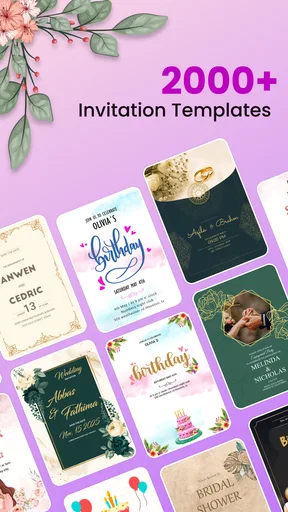
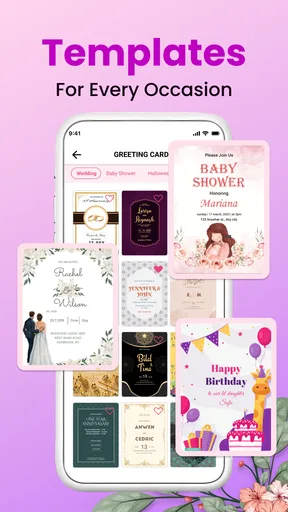
Now, let's talk features. Invitation Maker - Card Design is packed with a ton of templates for every occasion you can think of. Whether it’s a birthday party, wedding, or baby shower, you’ll find a design that fits your vibe. I was particularly impressed by the variety. It’s like having a whole design studio in your pocket.
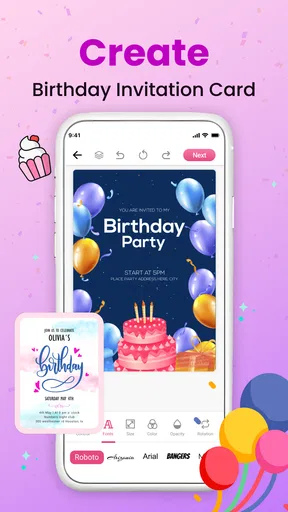
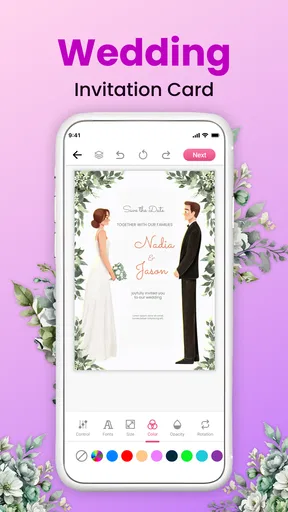
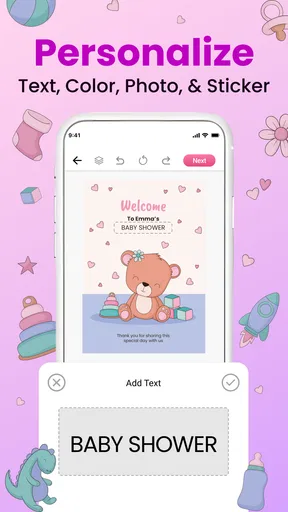
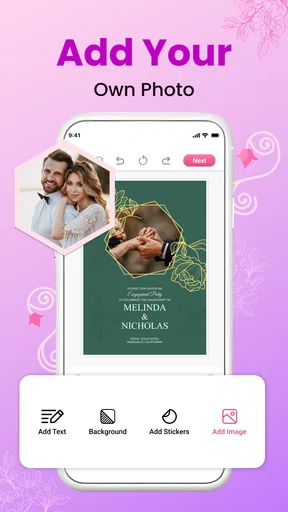
Once you pick a template, you can customize it to your heart’s content. Change the text, play around with fonts, and tweak the colors. There’s even an option to add your own images. I used it to pop in a cute picture of my dog for a pet birthday invite, and it looked super professional.
Design Tools and Customization
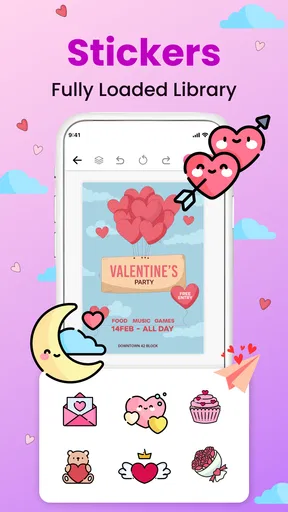
Speaking of customization, the design tools are quite robust. You get to adjust everything from text alignment to opacity. And for those who love a touch of personal flair, the app lets you add stickers and icons. It’s like giving your invites a little sprinkle of personality.
I also appreciated the app’s drag-and-drop functionality. It makes arranging elements a breeze. You can easily move things around until everything looks just right. Plus, the undo button is a lifesaver for those "oops" moments.
Sharing and Sending
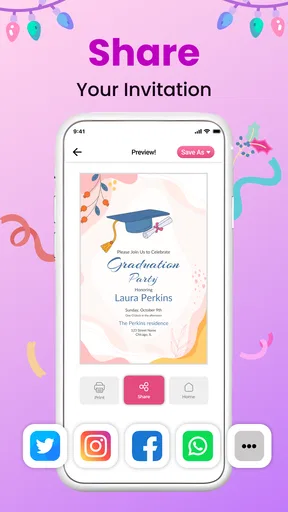
Once your masterpiece is ready, sharing it is a piece of cake. You can send your invites directly through the app via email, text, or social media. There’s something satisfying about seeing your creation out in the world, and the app makes it super seamless. I sent out a couple of invitations for a friend’s surprise party, and the feedback was all positive.
For a real-life use, I’d make the card before the busy part of the day begins. For example, if I’m organizing a weekend barbecue, I can settle the wording first, use a cheerful template, and add a photo only if it supports the occasion. Then I’d send the same finished design to guests through the channel I normally use. That keeps the invitation consistent and avoids rewriting the details in several separate messages.
Before sharing, I’d review the card at the size a recipient is likely to see on a phone. Decorative details that look balanced while editing can compete with the date or location when the image is viewed small. I’d prioritize legible event information, then remove any sticker or extra image that pulls attention away from it. This quick check is more useful than adding another layer of decoration.
One question people often have is whether a card can be sent without making every guest use the app. Since the design can be shared through familiar channels such as text, email, and social media, the recipient-facing step is straightforward: send the invitation where your guests already communicate. I’d still choose the channel based on the group; a family chat may be convenient for an informal event, while email can be easier to search later for a more formal occasion.
The Overall Experience
In terms of performance, the app runs smoothly without any annoying lags. It’s lightweight, so it doesn’t hog too much space on your phone, which is always a bonus. Plus, it doesn't bombard you with ads, so you can focus on designing without interruptions.
In day-to-day use, I’d expect the design stage to feel quickest when I keep the job simple: one template, clear wording, and a small number of edits. A card that needs repeated image changes or lots of element adjustments naturally takes more attention. I wouldn’t treat that as a fault in the app; it is the difference between adapting a design and building a more elaborate layout. If I’m in a hurry, I’d resist polishing details that guests are unlikely to notice.
Reliability matters most when I’m close to sending. I’d keep the final wording somewhere easy to retrieve until I know the card is ready, and I’d review the finished design before sharing rather than assuming every edit landed exactly as intended. That is a sensible habit for any visual editor, especially when names and event logistics matter. If something looks misplaced, the drag-and-drop controls and undo option make small corrections less daunting.
The app’s version 1.5.8 works on Android 7.0 and above, which gives it a broad range of compatible Android devices. On an older or less capable phone, I’d keep designs modest and avoid treating a busy canvas as a test of the device: simpler layouts are easier to review and make the essential text stand out. I would not choose a phone-based invitation maker for a job that depends on exact print specifications or detailed control across many pages.
I did find that while the free version is great, unlocking premium features gives you access to even more templates and tools. If you’re someone who frequently designs invites, it might be worth considering.
The app was released on June 25, 2024, and the version currently available is 1.5.8. I’d use those details as a quick reference when checking whether I’m looking at the current app, rather than as a reason by themselves to expect a particular performance level. For ordinary invitation work, what matters more is whether the editor feels responsive on my device and whether the card can be completed without fighting the layout.
"Creativity is intelligence having fun." – Albert Einstein
That quote pretty much sums up my experience with this app. It makes creativity accessible and fun, even for those who think they lack an artistic bone in their body.
When I’d choose something else
I’d skip this app if the invitation is only one part of a complicated event workflow. It can help make a card, but I would not rely on a design editor to coordinate replies, keep a changing guest list, or manage the practical schedule. A plain message may also be the better choice for a last-minute plan where speed and easy replies matter more than presentation. For print-focused work, a design program built around precise page setup gives more room to control the final output.
For someone who enjoys making a card feel personal, though, the balance is appealing: a template removes the intimidating blank page, while text, color, image, and layout adjustments leave room for individual choices. My tip is to decide on a visual direction before browsing too long. Knowing whether you want playful, understated, or formal makes it easier to settle on a design instead of getting stuck comparing options.
In conclusion, Invitation Maker - Card Design is a fantastic tool for anyone looking to create beautiful, personalized invitations without the hassle. Whether you’re planning a casual get-together or a grand event, this app has you covered. So go ahead, download it, and start crafting invites that’ll leave everyone impressed!
Pros
- Easy-to-use interface for quick designs.
- Wide range of templates available.
- Customizable fonts and colors.
- High-quality export options.
- Supports multiple languages.
Cons
- Limited free template selection.
- Occasional in-app ads.
- Some features require premium.
- No collaborative editing options.
- Watermark on free version exports.
FAQs for Invitation Maker - Card Design
What features does Invitation Maker - Card Design offer?
Invitation Maker - Card Design provides a wide range of templates for various events such as weddings, birthdays, and corporate events. Users can customize fonts, colors, and images to create personalized invitations. The app also offers options to add stickers and logos, ensuring a unique invitation design experience.
Is Invitation Maker - Card Design user-friendly for beginners?
Yes, the app is designed with simplicity in mind, featuring an intuitive interface that guides users through each step of the design process. Even those with no prior experience in graphic design can easily navigate the app, thanks to its drag-and-drop functionality and comprehensive help section.
Can I share my invitations directly from the app?
Absolutely! Invitation Maker - Card Design allows users to share their creations directly via email or social media platforms like Facebook and Instagram. Additionally, you can save your designs in various formats, making it easy to print or send through different channels.
Are there any costs associated with using the app?
The app is free to download and offers a selection of free templates. However, it also provides in-app purchases, which include premium templates, additional design elements, and an ad-free experience. Users can choose to enhance their design options by purchasing these extras.
Is internet access required to use Invitation Maker - Card Design?
While an internet connection is necessary to download the app and access certain features like sharing on social media, many of the design tools and templates are available offline. This allows users to work on their invitations anytime and anywhere without needing constant connectivity.


